Use Name tags in Airtime Camera
David
Updated
You can use the Name tag feature in Airtime Camera to add text to your finished look.
Add and customize the name tag associated with a look
- Select a look and click the Edit button.
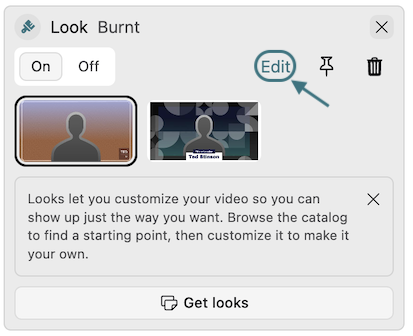
- Click the Name tag tab.
- Edit the content and style of the name tag.
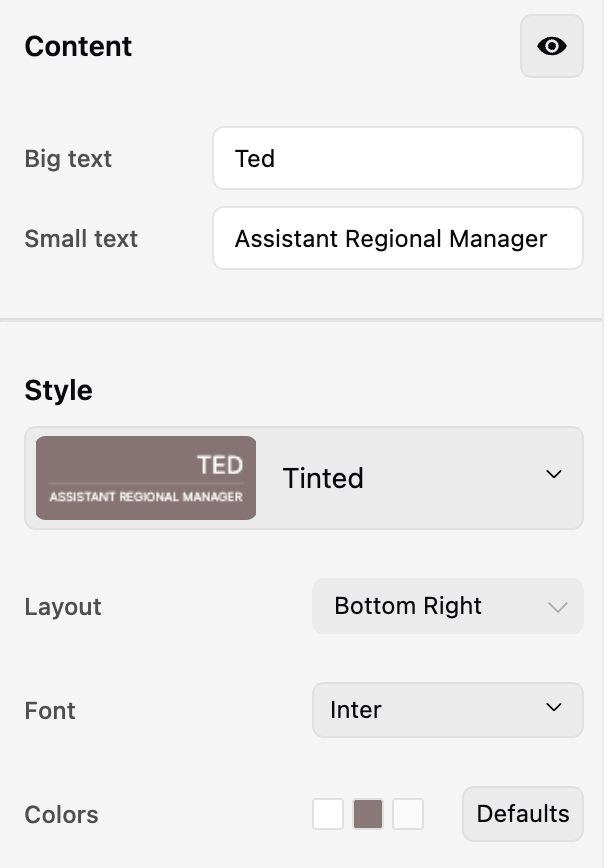
- Save the name tag.
Quick access to name tag controls
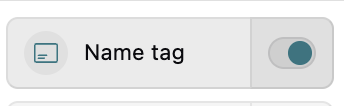
You can quickly show or hide the name tag with the toggle.
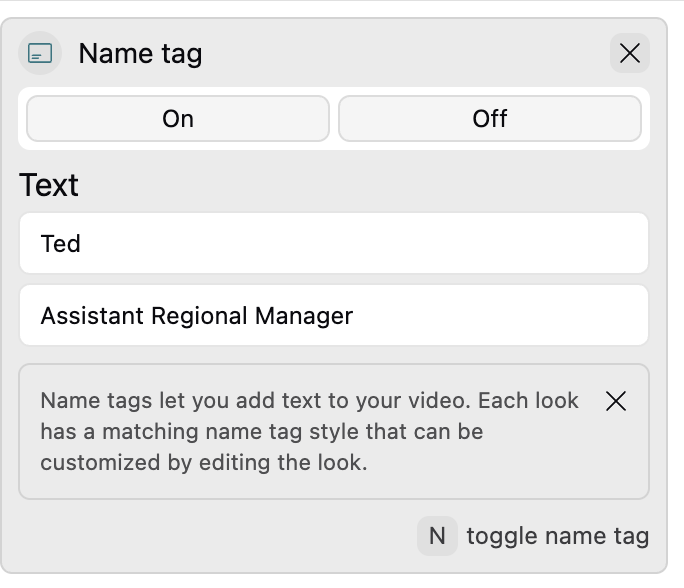
Click on the Name tag tab to edit the text.
Still need help? Submit a support ticket or email us at help@airtime.com.
Search by entering keywords
sections/33869881702295
/hc/theming_assets/01JSH0VM12PABYRMCFJ374HMNE
Get Started Guide
New to Airtime? We've got you covered.
custom
https://help.airtimetools.com/hc/categories/33869091093015
/hc/theming_assets/01JSH0X1T0PF89824XQTV3B7VD
Browse by Tool
Find resources tailored to each of our tools.
custom
https://help.airtimetools.com/hc/categories/33869082730903
/hc/theming_assets/01JSH0W0SWMKCZG047XMZFC936
Troubleshoot
Find quick fixes for common issues, such as error messages and technical problems.
custom
/hc/categories/9507497805079
/hc/theming_assets/01JSH0XER1XHF11B280QRKFBDG
Accounts and Billing
Everything about billing, payment, and managing your account.
