Use Visuals in Airtime Camera
David
Updated
You can quickly share your reaction by searching and clicking on a visual.
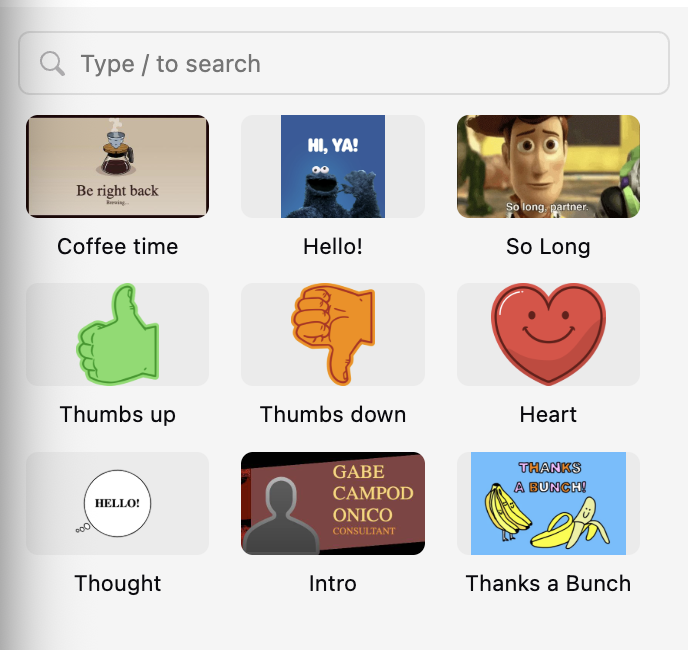
- Click on the search bar.
- Type the search keywords and click Enter / Return.
- Select a visual from the results.
Visual settings
You can adjust the settings of a visual with these steps.
- Hover on the visual and click the ellipsis icon.
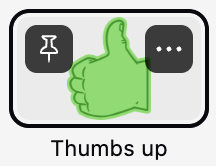
- Click Edit.
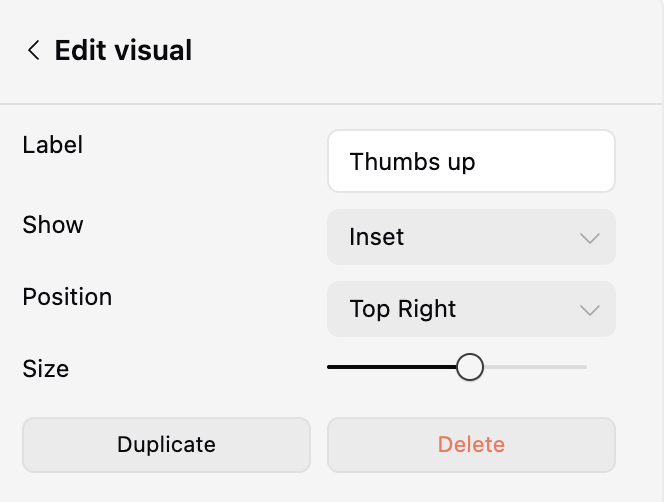
- You can then edit the label, display, position and size of the visual.
Still need help? Submit a support ticket or email us at help@airtime.com.
Search by entering keywords
sections/33869881702295
/hc/theming_assets/01JSH0VM12PABYRMCFJ374HMNE
Get Started Guide
New to Airtime? We've got you covered.
custom
https://help.airtimetools.com/hc/categories/33869091093015
/hc/theming_assets/01JSH0X1T0PF89824XQTV3B7VD
Browse by Tool
Find resources tailored to each of our tools.
custom
https://help.airtimetools.com/hc/categories/33869082730903
/hc/theming_assets/01JSH0W0SWMKCZG047XMZFC936
Troubleshoot
Find quick fixes for common issues, such as error messages and technical problems.
custom
/hc/categories/9507497805079
/hc/theming_assets/01JSH0XER1XHF11B280QRKFBDG
Accounts and Billing
Everything about billing, payment, and managing your account.
